Keybindings
TEdit 5 supports customizable keyboard shortcuts for most actions.
Default Shortcuts
Tools
| Shortcut | Tool |
|---|---|
A | Arrow |
S | Selection |
E | Pencil |
B | Brush |
F | Fill |
R | Picker (hold to temporarily pick, tap to switch) |
P | Point |
T | Sprite |
File Operations
| Shortcut | Action |
|---|---|
Ctrl+O | Open world |
Ctrl+S | Save |
Ctrl+Shift+S | Save As |
Ctrl+Z | Undo |
Ctrl+Y | Redo |
Selection & Clipboard
| Shortcut | Action |
|---|---|
Ctrl+C | Copy selection |
Ctrl+V | Paste |
Ctrl+D | Clear selection |
Ctrl+A | Select all |
View
| Shortcut | Action |
|---|---|
Ctrl+= | Zoom in |
Ctrl+- | Zoom out |
| Arrow keys | Pan |
Customizing Keybindings
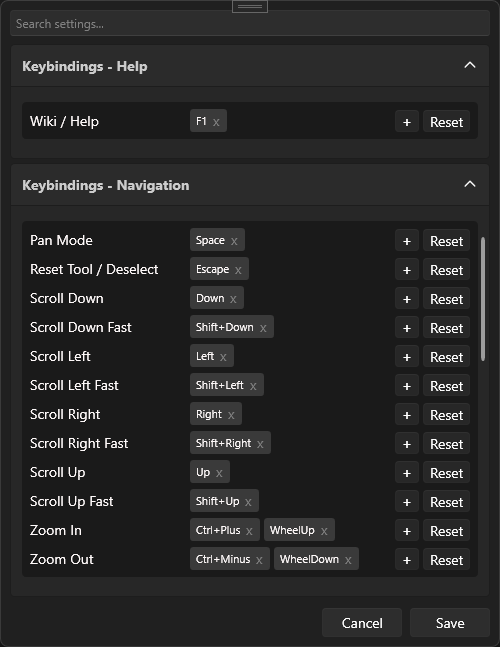
Open Edit > Settings and navigate to the Keybindings section.
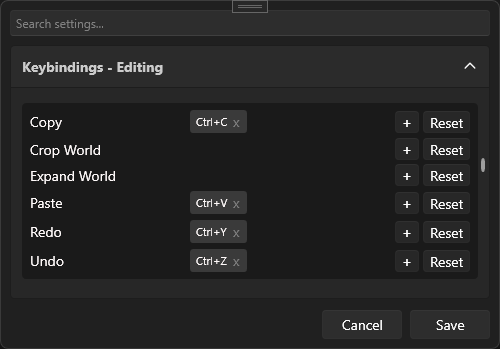
Tool Bindings
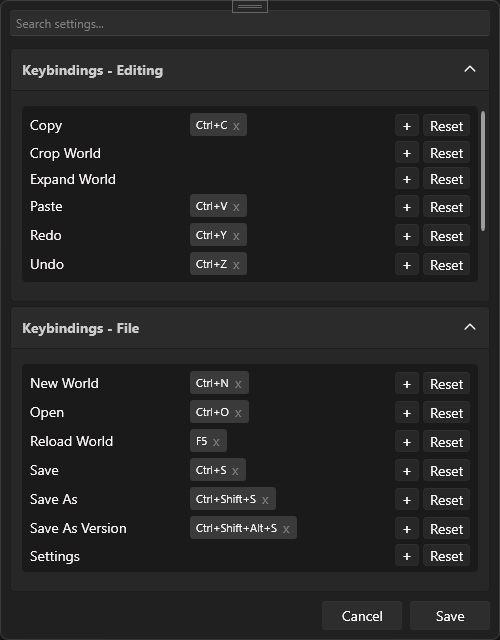
Help & Navigation
Selection, Toggles & Tool Drawing
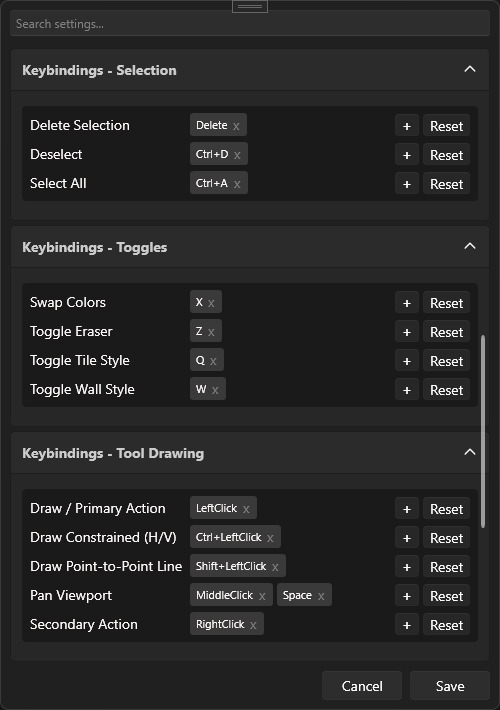
To remap a key: click on the binding, then press your new key combination.