Interface Overview
TEdit 5 uses a modern Fluent Design interface built on WPF-UI.
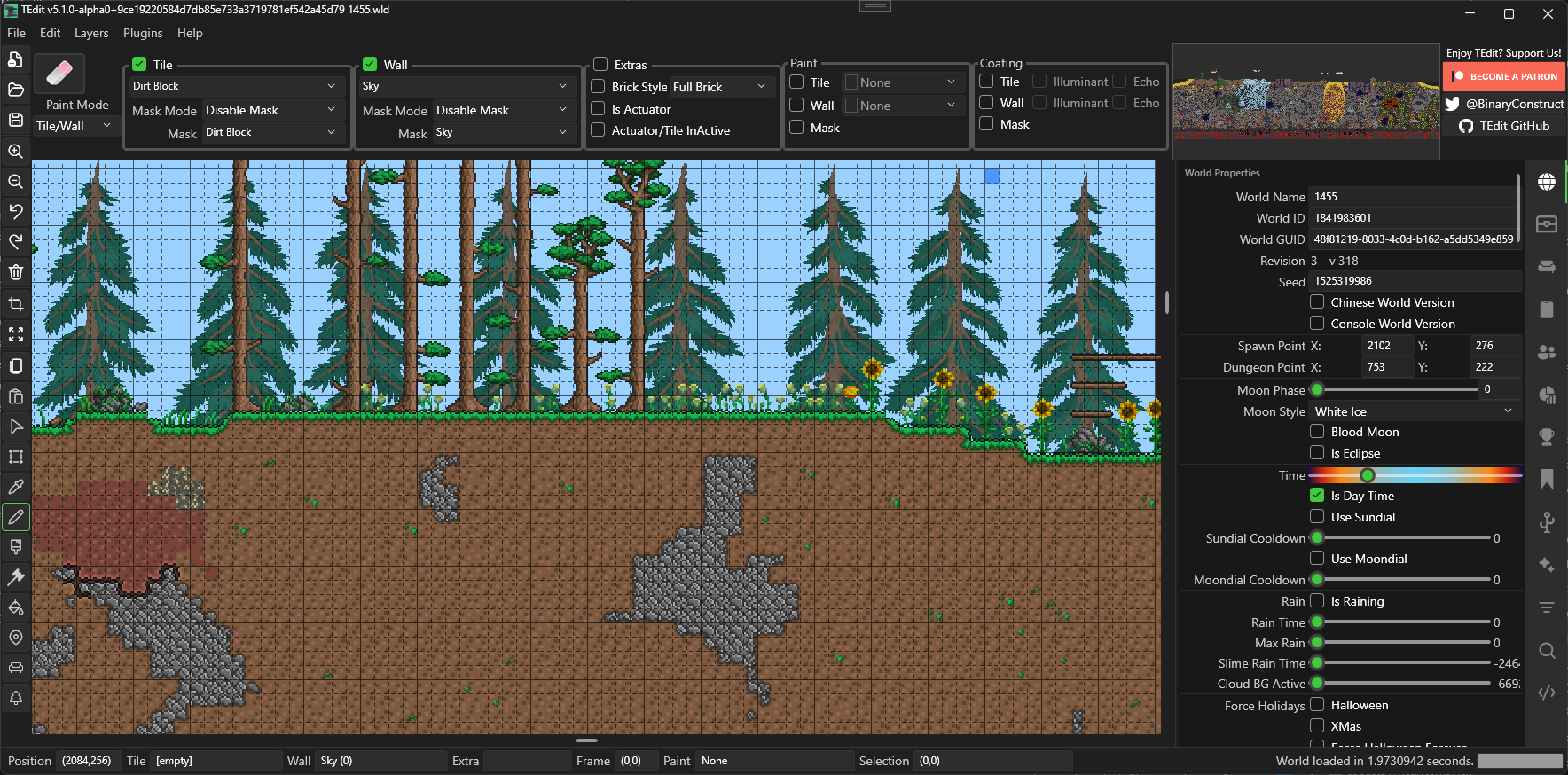
Layout
The editor is split into these main areas:
| Area | Location | Purpose |
|---|---|---|
| Menu Bar | Top | File, Edit, Layers, Plugins, Help |
| Action Bar | Below menu | Paint mode, brush settings, tile/wall selectors |
| Toolbar | Left side | Tool selector (Arrow, Pencil, Brush, etc.) |
| Map View | Center | The world canvas — where you edit |
| Sidebar Panels | Right side | Clipboard, world properties, find, filter, scripting |
| Status Bar | Bottom | Cursor coordinates, tile info, zoom level |
Menu Bar
File

Open, save, and export worlds. Recent files list for quick access.
Edit

Undo, redo, copy, paste, selection operations, and access to Settings.
Layers
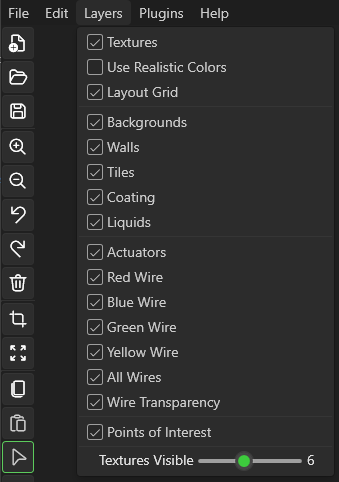
Toggle visibility of rendering layers (tiles, walls, wires, liquids, etc.).
World Border Visualizer — Enable the Show World Borders option in the Layers menu to overlay biome border lines on the map. This draws visible markers at the boundaries between biomes (Corruption, Crimson, Hallow, Jungle, Desert, Snow, etc.), making it easy to see how biomes are distributed and plan edits around them. Toggle it off to return to the normal view.
Plugins
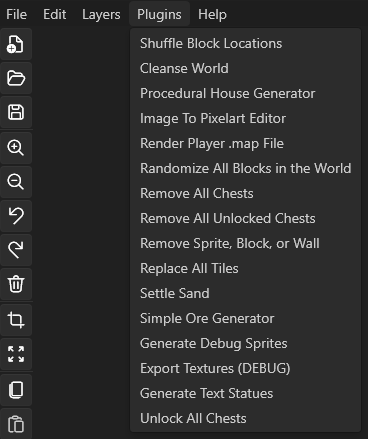
Built-in plugin commands and utilities.
Help

About, links, and update information.
Dark Mode
TEdit 5 defaults to a dark theme. You can toggle light/dark mode in Settings.