What's New in TEdit 5
TEdit 5 is a ground-up rewrite of the Terraria Map Editor — new rendering engine, modern UI, and a wave of new editing tools. Here are the highlights.
Modern UI & Localization
TEdit 5 features a Fluent Design interface with native dark mode. The UI is translated into 13 languages with community translations managed via Crowdin. Built-in auto-update keeps you current across Stable, Beta, and Alpha release channels.
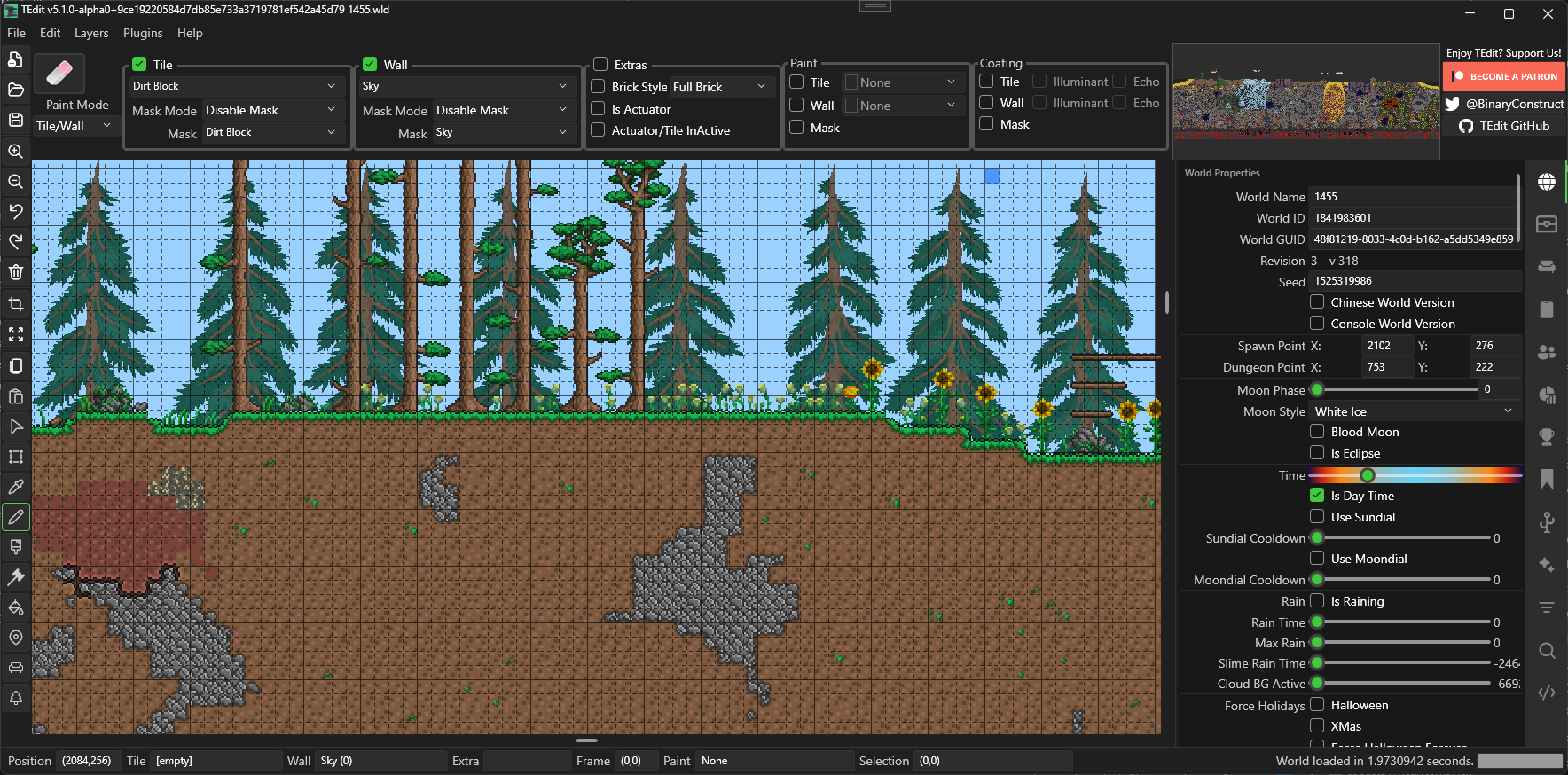
Settings | Localization | Auto-Update
Scripting Engine
Write JavaScript or Lua scripts to automate world edits. The scripting API gives you full access to tiles, walls, liquids, wires, chests, signs, NPCs, and more. Batch-process thousands of tiles, search for items, generate structures — if you can describe it, you can script it.
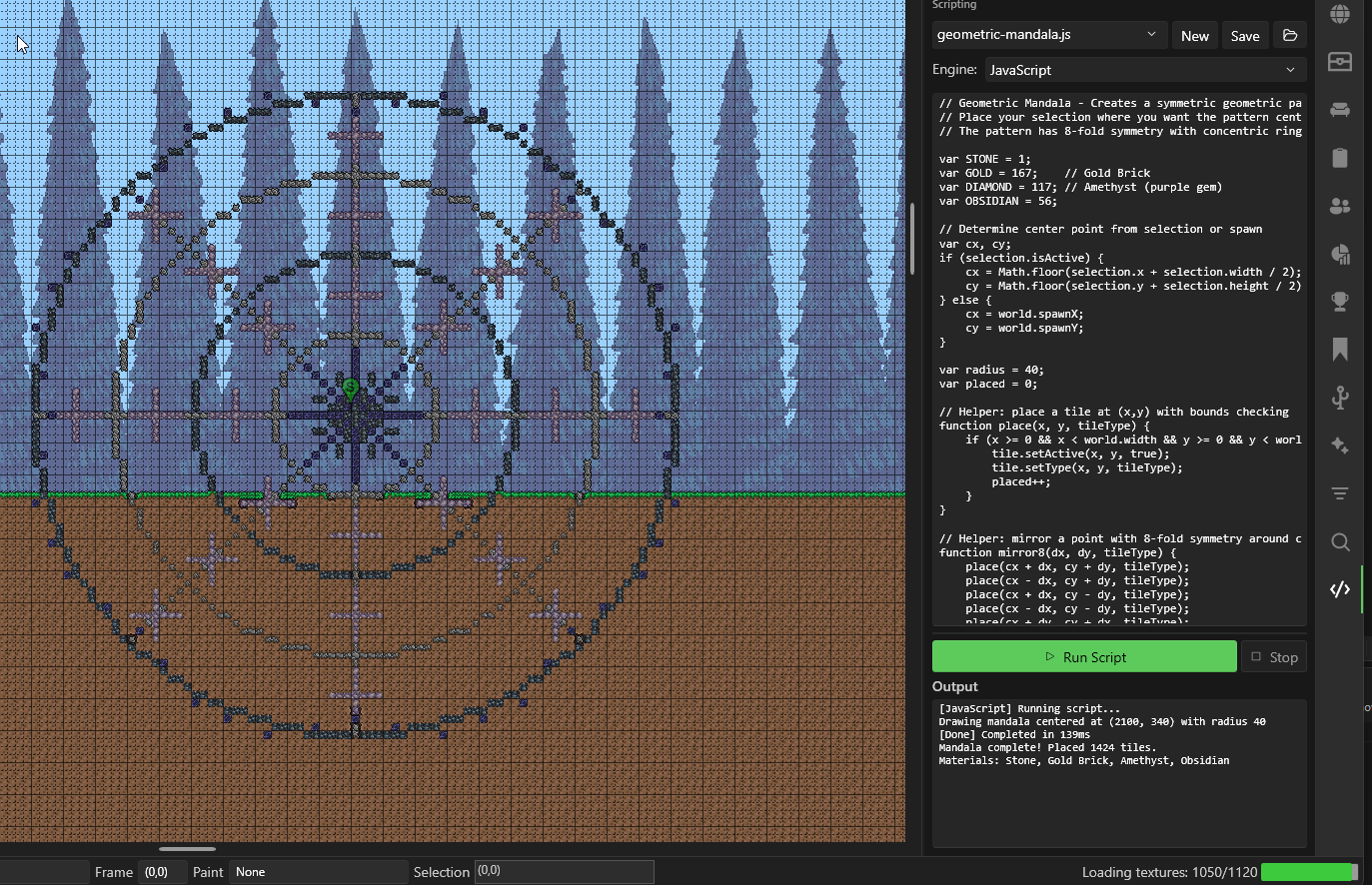
Built-in AI assistants for ChatGPT, Claude, and Gemini can help you write scripts from a plain English description.
Scripting Guide | API Reference
CAD-Style Wire Routing
No more freehand wire painting. Wire routing mode gives you click-to-click CAD-style wire drawing with 90° elbow and 45° miter routing. Click an anchor, click a destination, and the editor calculates a clean routed path.
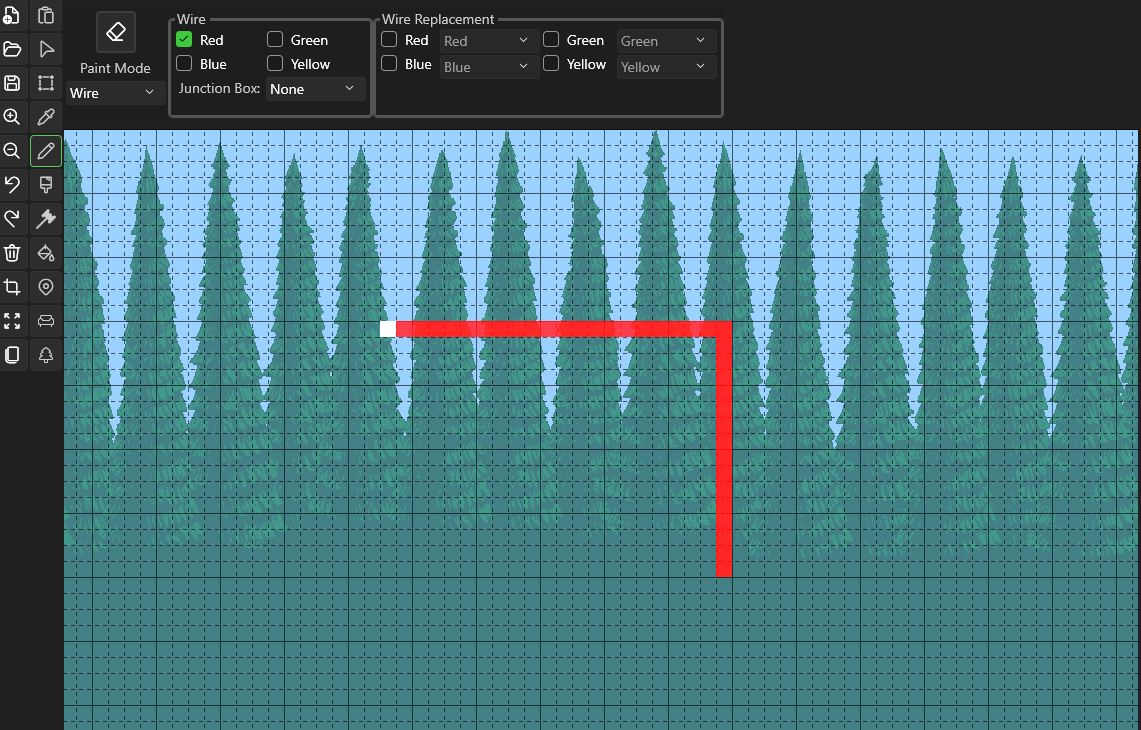
The Brush tool adds bus routing — draw multiple parallel wires filling the brush width with proper spacing. Toggle wire colors with number keys 1–4.
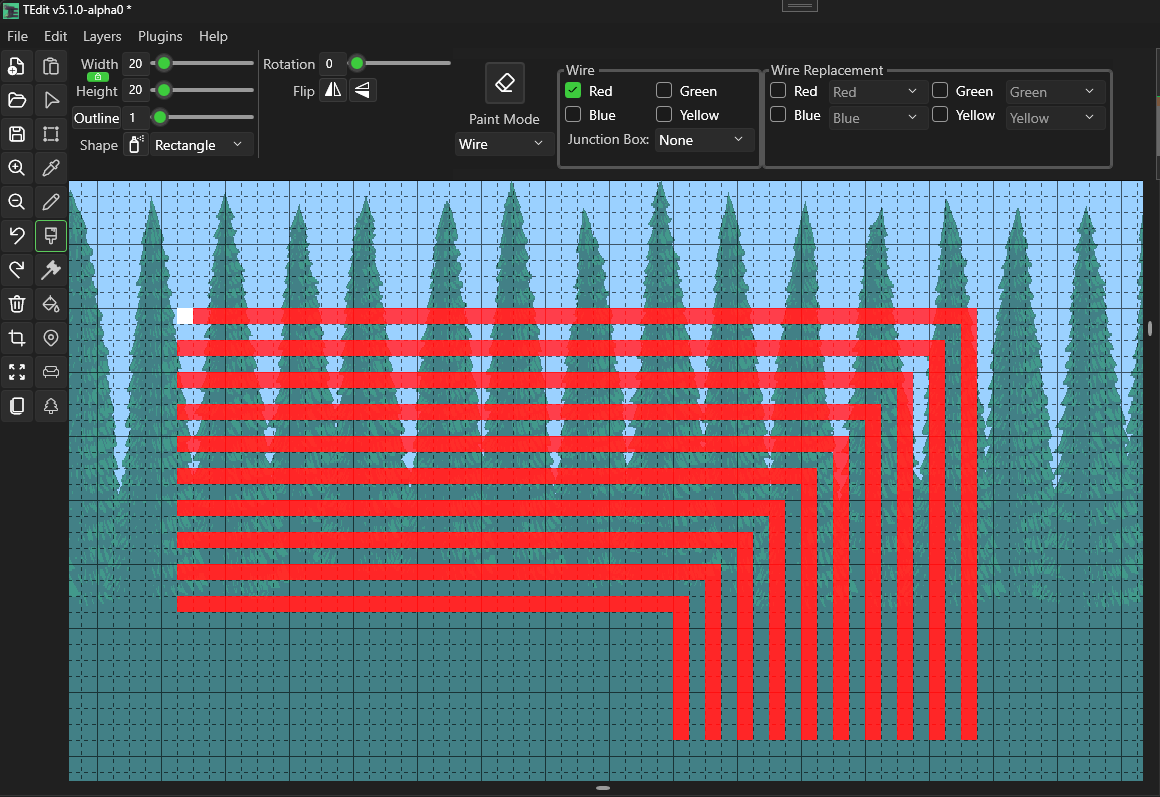
Chain mode links segments together — each committed endpoint becomes the anchor for the next segment, creating continuous polyline wire runs.

Wire routing also supports Track and Platform paint modes. Track routing uses thin diagonals matching Terraria's native track behavior, with optional tunnel clearing preview. Platform routing automatically applies proper stair frames (treads, stringers, landings) on 45° miter paths.
Floating Paste with Drag & Resize
Paste operations now create a floating preview layer before committing. Move it by dragging, resize it by pulling corner or edge handles, and rotate or flip with keyboard shortcuts — all before a single tile is placed.
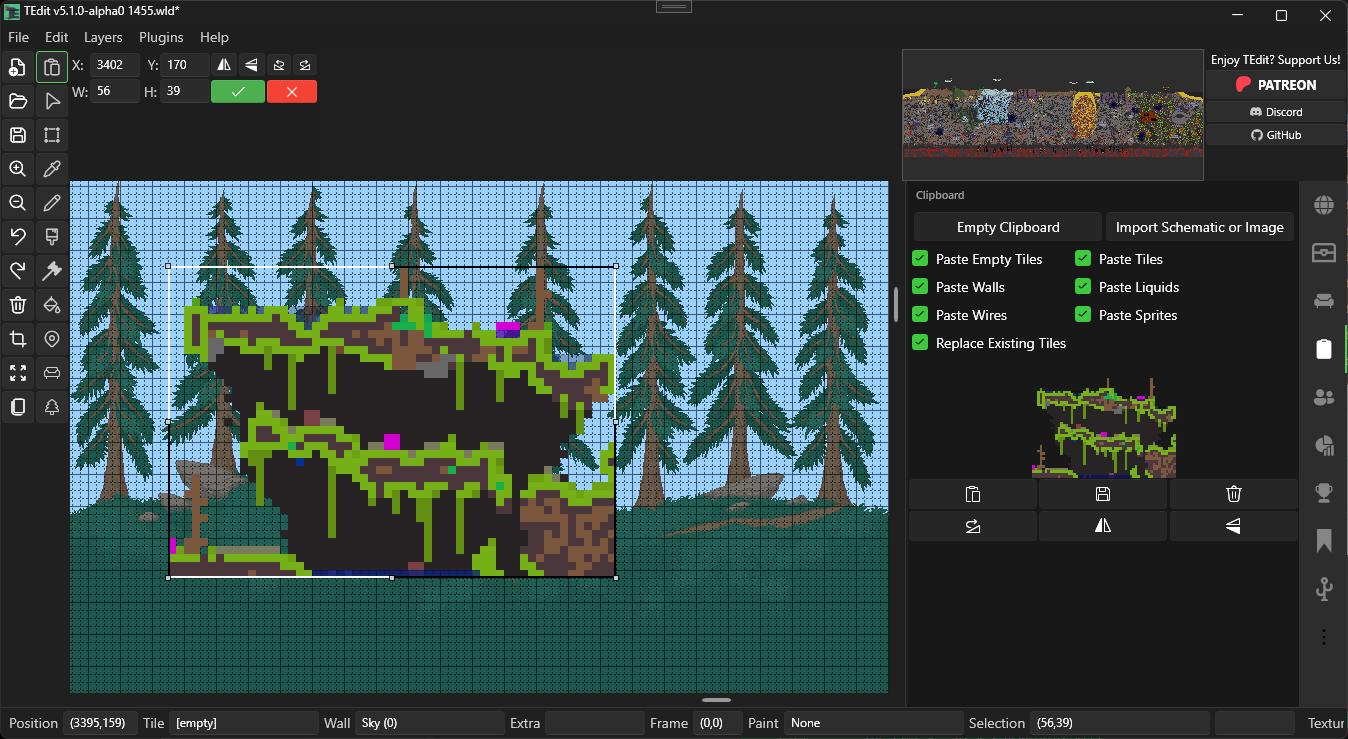
Editable X, Y, W, and H fields in the paste toolbar give you pixel-perfect control. Resizing uses nearest-neighbor tile resampling so your builds scale cleanly.
Instant Paste mode commits immediately on click — no floating preview, no accept step. Toggle it on for rapid stamping of schematics.

Clipboard & Floating Paste | Instant Paste
Palette Panel
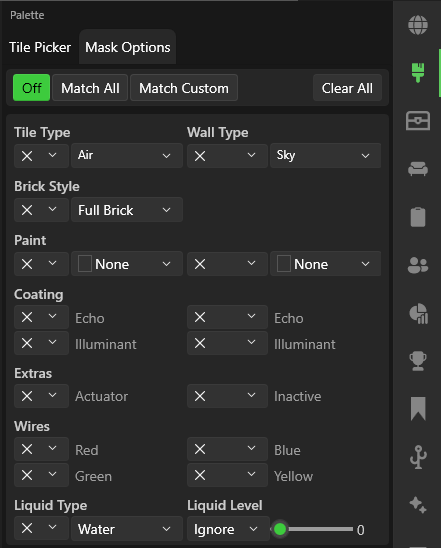
The new Palette sidebar panel gives you a full browsable view of all tiles and walls with search filtering, plus dedicated mask controls for tiles and walls independently.
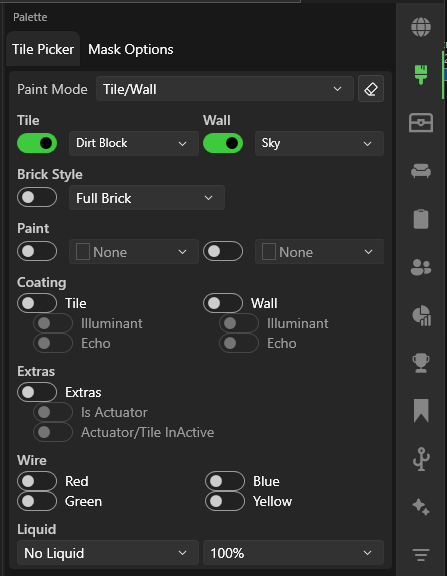
Tile and wall masks restrict where paint operations take effect — paint only in empty space, or only overwrite matching types. The Palette panel makes it easy to configure both without leaving the editing workflow.
Advanced Brush System
Eight brush shapes — Square, Ellipse, Diagonal, Star, Triangle, Crescent, and Donut — with rotation, flip, and outline transforms. Spray mode applies paint on a timer for texture effects.

Morph Tool
Convert entire regions to a different biome with one stroke. Select a target biome (Purify, Corruption, Crimson, Hallow, Mushroom, etc.) and paint over existing terrain. Toggles let you control what gets converted: base tiles, evil tiles, moss, and sprites.

Find & Filter Panels
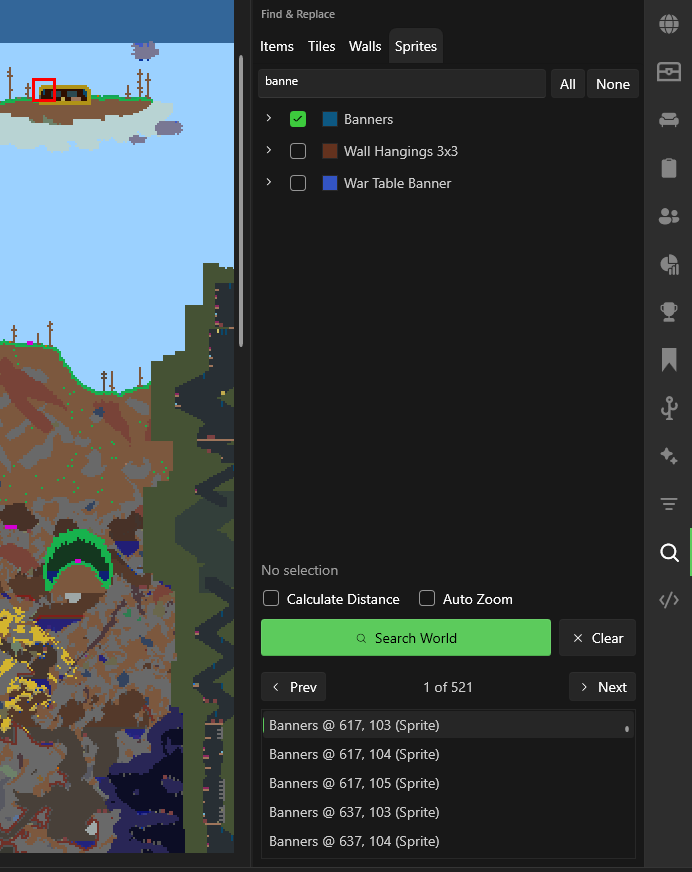
Find searches your entire world for items in chests, placed tiles, walls, or sprites. Jump between results on the map with Prev/Next.
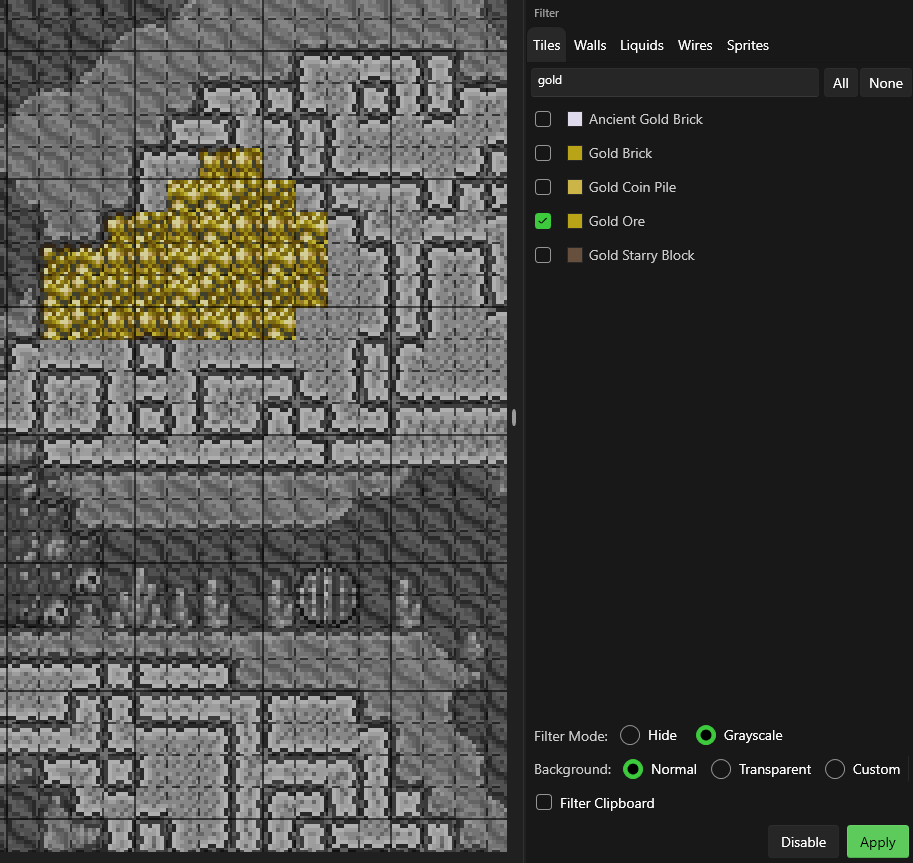
Filter hides or grayscales specific tile types so you can focus on what you're editing. Supports hide mode, grayscale mode, and custom background colors.
Polyline Drawing
Hold Shift and click successive points to draw connected straight line segments. Each click anchors the end of one segment and starts the next. Works with the Pencil, Brush, and Morph tools — great for building straight walls, paths, and outlines without freehand wobble.
Biome Generation with Morph Tool
The Morph tool now supports nine biome targets: Purify, Corruption, Crimson, Hallow, Glowing Mushroom, Jungle, Forest, Snow, and Desert. Paint over existing terrain to convert it to a different biome — tiles, walls, moss, and sprites all transform correctly.
New in this release:
- Jungle biome — full tile and wall coverage, including vines, thorns, and jungle-specific sprites
- Expanded Glowing Mushroom — significantly wider tile and wall coverage for complete mushroom biome conversions
- Sprite replacement — multi-tile sprites (grass, vines, torches, altars, orbs) swap to biome-appropriate variants
- Round-trip conversions — convert between biomes without losing structural detail
Automatic Backups
TEdit now creates automatic .TEdit backup files every time you save. Backups rotate automatically — .TEdit, .TEdit.2, .TEdit.3, and so on — so you always have recent restore points.
- MaxBackups setting controls how many backups to keep per world (default: 10)
- Backup files appear in the World Browser alongside your worlds, labeled as "TEdit Backup"
- Terraria's own
.bakfiles also appear, labeled as "Terraria Backup"
Time Slider
The World Properties panel now features a gradient time slider that spans the full 24-hour Terraria day cycle. Drag the slider to set any time of day — the gradient background shows the sky color at each point in the cycle. A text field next to the slider displays the time in h:mm AM/PM format and accepts typed input.
Steam User ID Setting
A new Steam User ID setting under Settings > Paths lets you specify which Steam user's Worlds folder to use. This is helpful if TEdit can't auto-detect the correct Steam library path or if you have multiple Steam accounts.
Tile & Wall Filter Icons
The tile and wall pickers in the Filter panel now show the correct item icon — the item that places each tile or wall — instead of a generic preview. This makes it much easier to identify tiles and walls at a glance.
Large Clipboard Support
Clipboard previews now work correctly for selections that exceed 4096 pixels in any direction. The paste overlay uses a tiled texture system that splits large buffers into a grid of GPU-safe textures. The sidebar preview remains a single scaled-down thumbnail.