NPCs
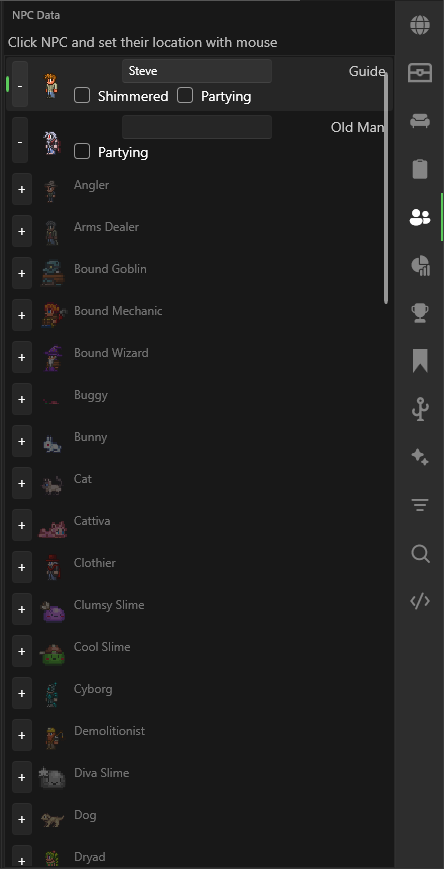
The NPC panel lets you manage town NPCs in your world — add or remove them, edit display names, toggle shimmer/party state, and quickly navigate to their location on the map.
Search Filter
Use the Search box at the top of the panel to filter NPCs by name. The filter matches against the NPC's default type name (e.g. "Nurse", "Merchant") and is case-insensitive.
Adding and Removing NPCs
- Click the + button next to an NPC that is not on the map to add it at the world spawn point.
- Click the - button next to an NPC that is on the map to remove it from the world.
Editing NPC Properties
When an NPC is on the map, the following options are available:
- Display Name — Edit the custom name shown in-game above the NPC.
- Shimmered — Toggle whether the NPC has been shimmered (only available for NPCs that support shimmer).
- Partying — Toggle whether the NPC is currently partying.
- Variant Selector — For NPCs with multiple visual variants (e.g. town pets), a dropdown lets you pick which variant to use.
Go To Location
Right-click any NPC that is on the map to instantly zoom in and pan the map to the NPC's current position.
tip
To move NPC home positions, use the Point tool on the map.